AI photo geolocation tool
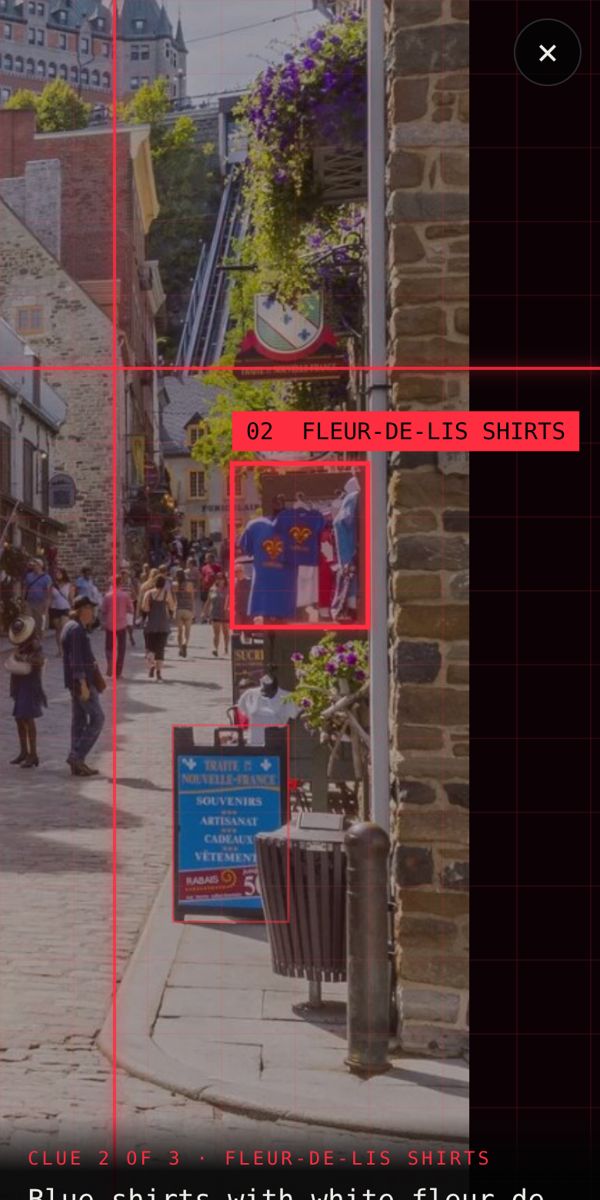
Our AI photo geolocation tool lets you geolocate any image online: it plays GeoGuessr with your own photos, reading signs, roads, architecture and nature, and then shows the place on a spy-style globe with every clue it used.
Find where your photo was taken →2 free photo traces when you sign up with Google
What is photo geolocation?
Photo geolocation means working out where on Earth a picture was taken from what is in it. It is used by journalists checking whether a viral photo is real, by OSINT researchers, by GeoGuessr players and by anyone curious about a place they saw online.
How AI geolocates an image
- It spots every clue: text, number plates, road markings, buildings, plants, terrain and shadows.
- It narrows it down, from continent to country to region to city.
- It picks the most likely spot, with a radius showing how sure it is.
Like GeoGuessr, but for your own photos
GeoGuessr gives you a random Street View and you guess. Here you bring the photo and the AI makes the guess, explaining its reasoning the way a top GeoGuessr player would. You can even watch a replay of where it zoomed in.
Uses for an image geolocation tool
- Find a holiday spot from a friend's photo or a travel TikTok.
- Check where a viral photo was really taken.
- Find a restaurant, viewpoint or beach you saw online.
- Practise for GeoGuessr by seeing which clues matter.
Find where your photo was taken →2 free photo traces when you sign up with Google
Frequently asked questions
Is there an AI that can tell where a photo was taken?
Yes. Where in the World? uses AI to geolocate photos and short videos and shows the clues behind every answer.
Is AI geolocation always right?
No tool is right every time. Photos with clear signs or landmarks are usually located very precisely; plain landscapes get a wider area. The confidence and clues help you judge each result.
Can I use it for OSINT?
It is a fast first step for OSINT: it gives you a likely place and the clues, which you can then verify in Google Maps and Street View.